The NVIDIA App has replaced GeForce Experience. Its overlay lets you record, stream and monitor performance, but it can impact game performance.
-
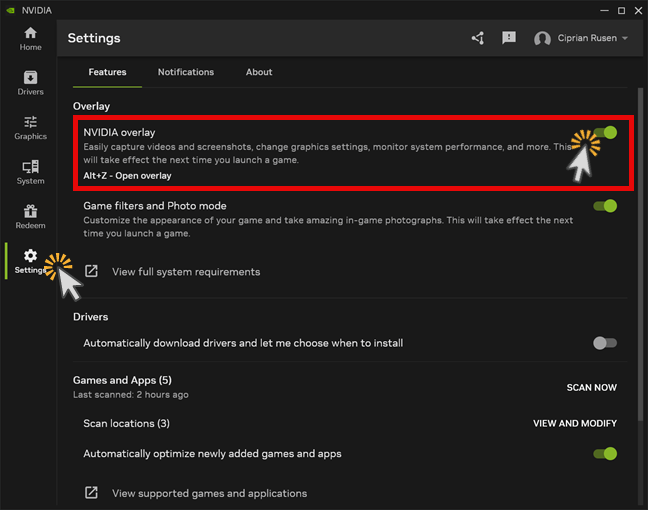
Open Settings
Open the NVIDIA App and click the
Settingsicon (gear) in the left sidebar. -
Select the Features tab
In the Settings menu, make sure the
Featurestab is selected. -
Turn off the overlay
Set the
NVIDIA overlaytoggle toOff.