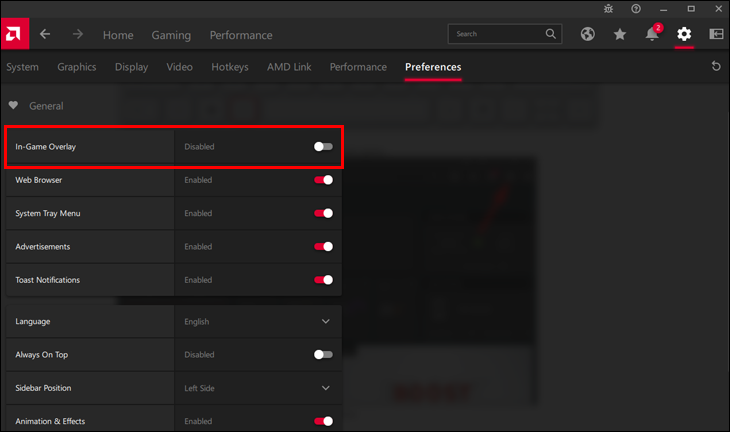
Like the NVIDIA overlay, the AMD Radeon overlay offers in-game features that can be disabled to save resources.
-
Open Settings
Open AMD Radeon Software (Adrenalin) and click the
Settingsicon (gear). -
Open the Preferences tab
Select
Preferences. -
Turn off the In-Game Overlay
Set
In-Game OverlaytoDisabled.