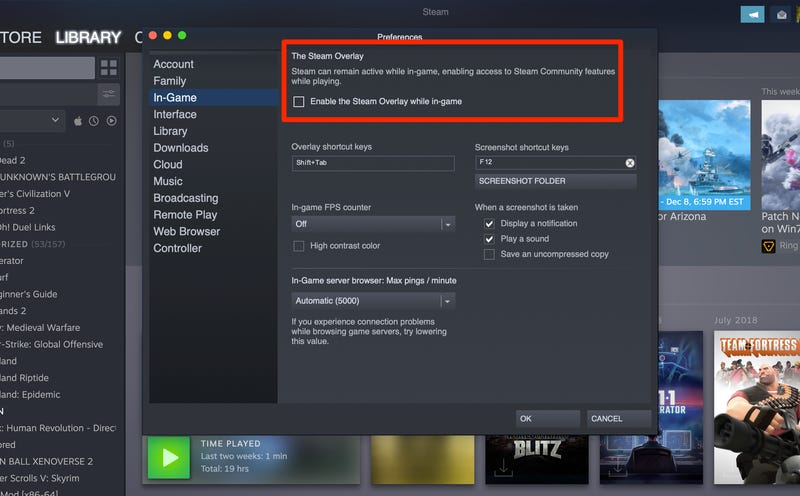
The Steam overlay gives you access to the Steam community, browser and other features while in a game.
-
Open Settings
Open the Steam client and go to
Steam → Settings. -
Open the In-Game tab
Click
In-Game. -
Disable the overlay
Uncheck
Enable the Steam Overlay while in-game.