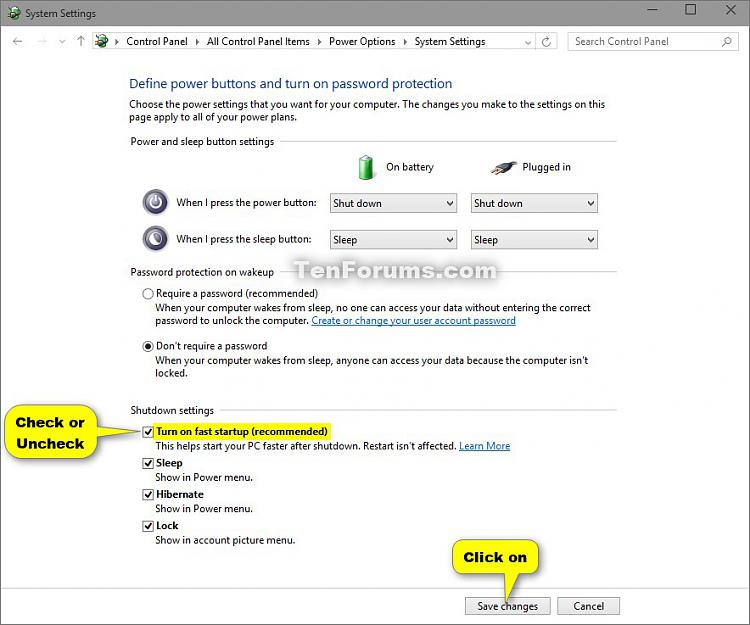
Fast Startup helps your PC start faster after a shutdown, but it can cause issues with updates and drivers. The steps are the same on Windows 10 and Windows 11.
-
Open Power Options
Open the
Control Paneland go toPower Options. -
Open the power button settings
Click
Choose what the power buttons do. -
Unlock the shutdown settings
Click
Change settings that are currently unavailable. -
Turn off Fast Startup
Uncheck
Turn on fast startup (recommended). -
Save
Click
Save changes.